Getting Started
Getting Started
Welcome to Diagramly, your AI-powered all-in-one diagram platform. In this quick start guide, we’ll show you how to create a sequence diagram from a simple text description in just seconds.
Creating Your First Sequence Diagram
Step 1: New Diagram Page
You can access the new diagram page by clicking ‘New Diagram’ button in the dashboard, or go to https://diagramly.ai/new directly.
In the text input field, type a brief description of the sequence you want to diagram. For example:
A micro service based web application. user login process.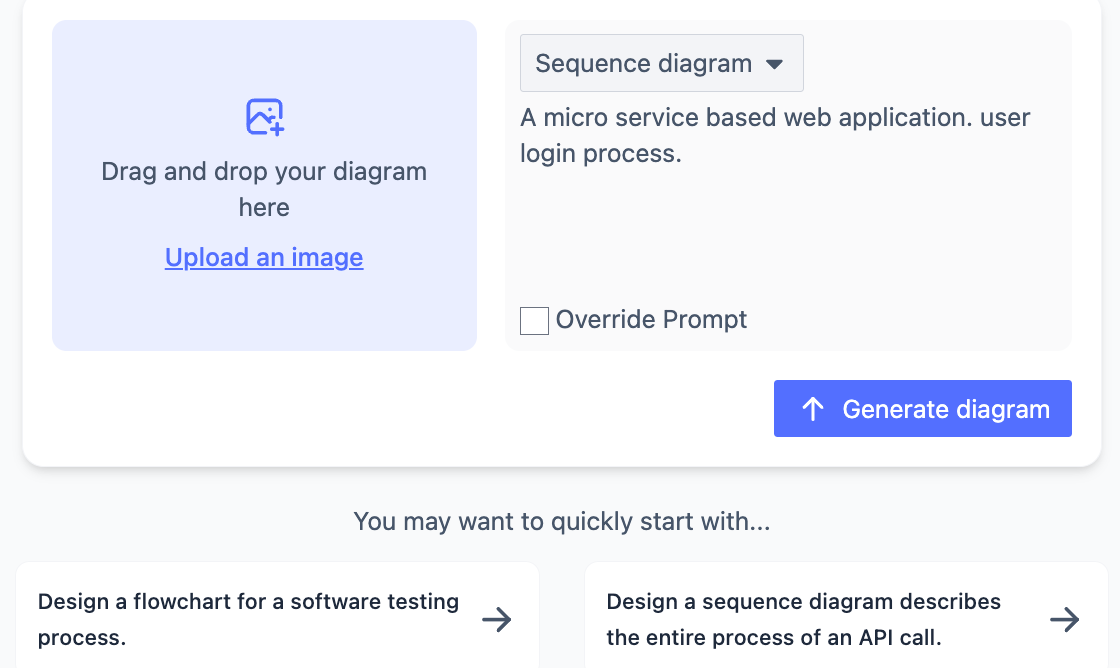
Choose Diagram Type as *Sequence Diagram.
Step 2: Generate Your Diagram
Now, click ‘Generate Diagram’
In just few seconds, we will generate a full logic sequence diagram with maintainable code text for you!
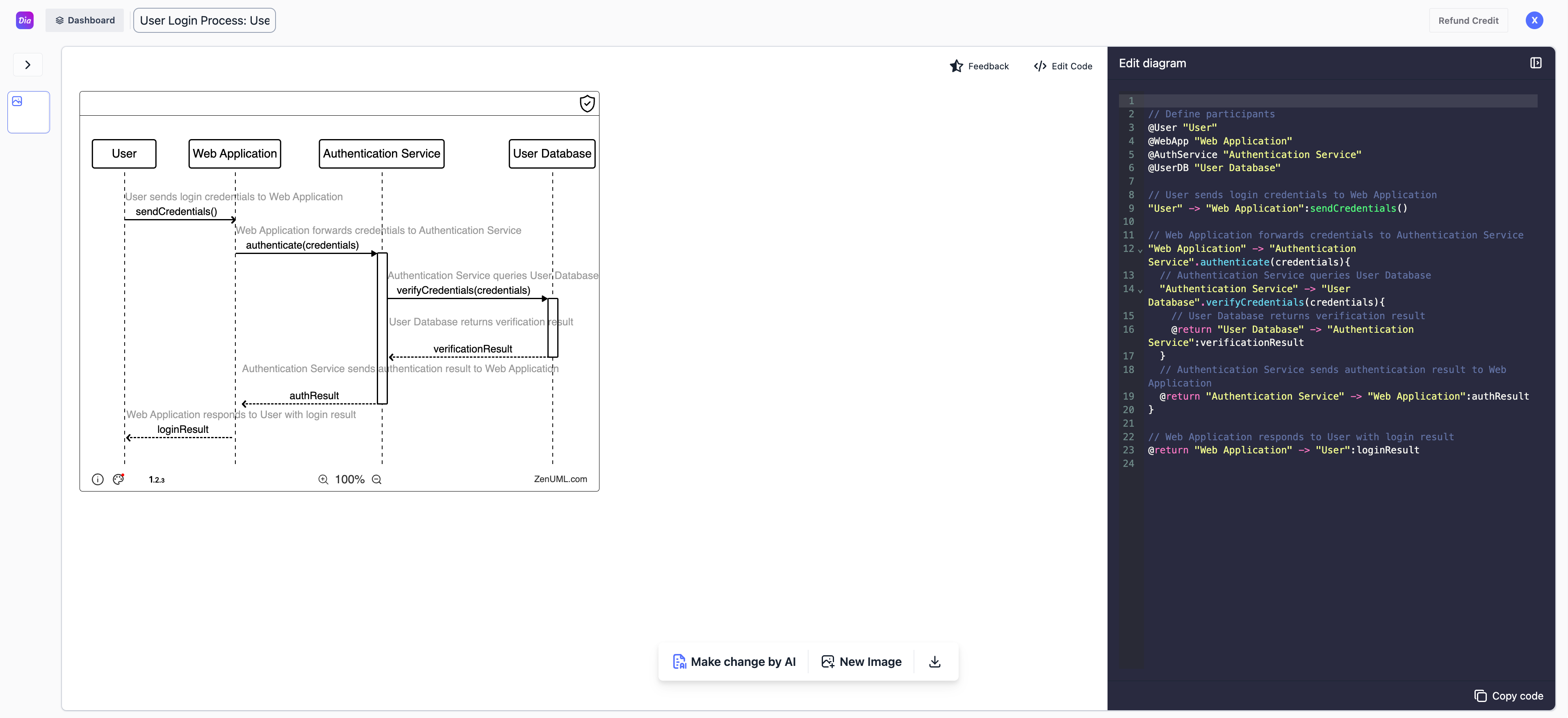
Step 3: You are all set!
Congratulations! You’ve created your first sequence diagram with Diagramly. From here, you can:
- Edit your diagram in the diagram edit view manually.
- Enhance your diagram using natural language with AI.
- Manage all your diagrams in your dashboard view -> Dashboard
Last updated on